Dialog
팝업창, 모달창 같은거임

showDialog() 라는 기본함수에 파라미터 몇개 넣어서 쓰면됨
floatingActionButton: FloatingActionButton(
            child: Text('버튼'),
            onPressed: (){
              showDialog(context: context, builder: (context){
              return Dialog(
                child: Text('AlertDialog Title'),
                   );
                },
              );
              },

          ),
context, builder 이렇게 두개의 파라미터가 있다.
builder에 return 으로 Dialog 함수를 넣어주면 된다.
하지만 이렇게 실행하면 에러가 난다.
이유를 알기전에 context에 대해 알아야한다.
Context
비유하면 족보임
현재 위젯의 부모에 대한 정보가 담겨 있다.
build() 함수의 첫 파라미터는 context임
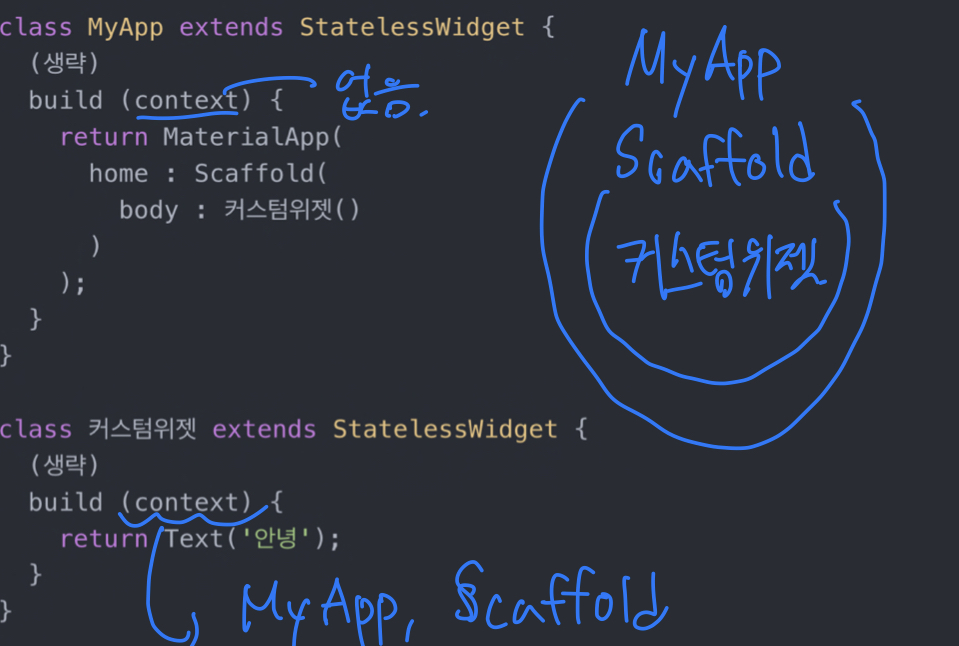
showDialog(), Navigator(), Theme.of() 등등 소괄호안에 context를 집어넣어야하는 함수들이 있다.
showDialog() 는 MaterialApp이 부모로 들어있는 context 를 가져야 한다.
그래서 다음코드가 작동하지 않는다.
build (context) {
    return MaterialApp(
      home: Scaffold(
        floatingActionButton: FloatingActionButton(
          onPressed: (){
            showDialog(
              context: context,
              builder: (context){ return Dialog( child: Text('안녕'), ); },
            );
          },
        ),
showDialog에 context를 보면 MaterialApp의 부모를 담아하는데
MaterialApp 상위에는 아무것도 없다.
그래서 에러가 나는 것이다.
해결법1
MaterialApp가 부모로 있는 context를 만들면 된다.
기존 코드를 보면
 Widget build(BuildContext context) {
    return MaterialApp(
      home: Scaffold(
          floatingActionButton: FloatingActionButton(
            child: Text('버튼'),
            onPressed: (){
              showDialog(context: context, builder: (context){
context 가 Material의 부모를 담고 있다. Material의 부모는 없기때문에 에러가 난다 그래서
Material을 빼서 위로 올려주면 Scaffold의 부모가 MaterialApp이 되고 정상적으로 작동한다.
 return  Scaffold(
          floatingActionButton: FloatingActionButton(
            child: Text('버튼'),
            onPressed: (){
              showDialog(context: context, builder: (context){
이렇게 MaterialApp을 지우고
void main() {
  runApp(
    MaterialApp(
      home : MyApp()
    )
  );
}
이렇게 빼면 되는데 빼주는 위치인 void main은 앱 실행시 가장 먼저 실행되는 함수이다
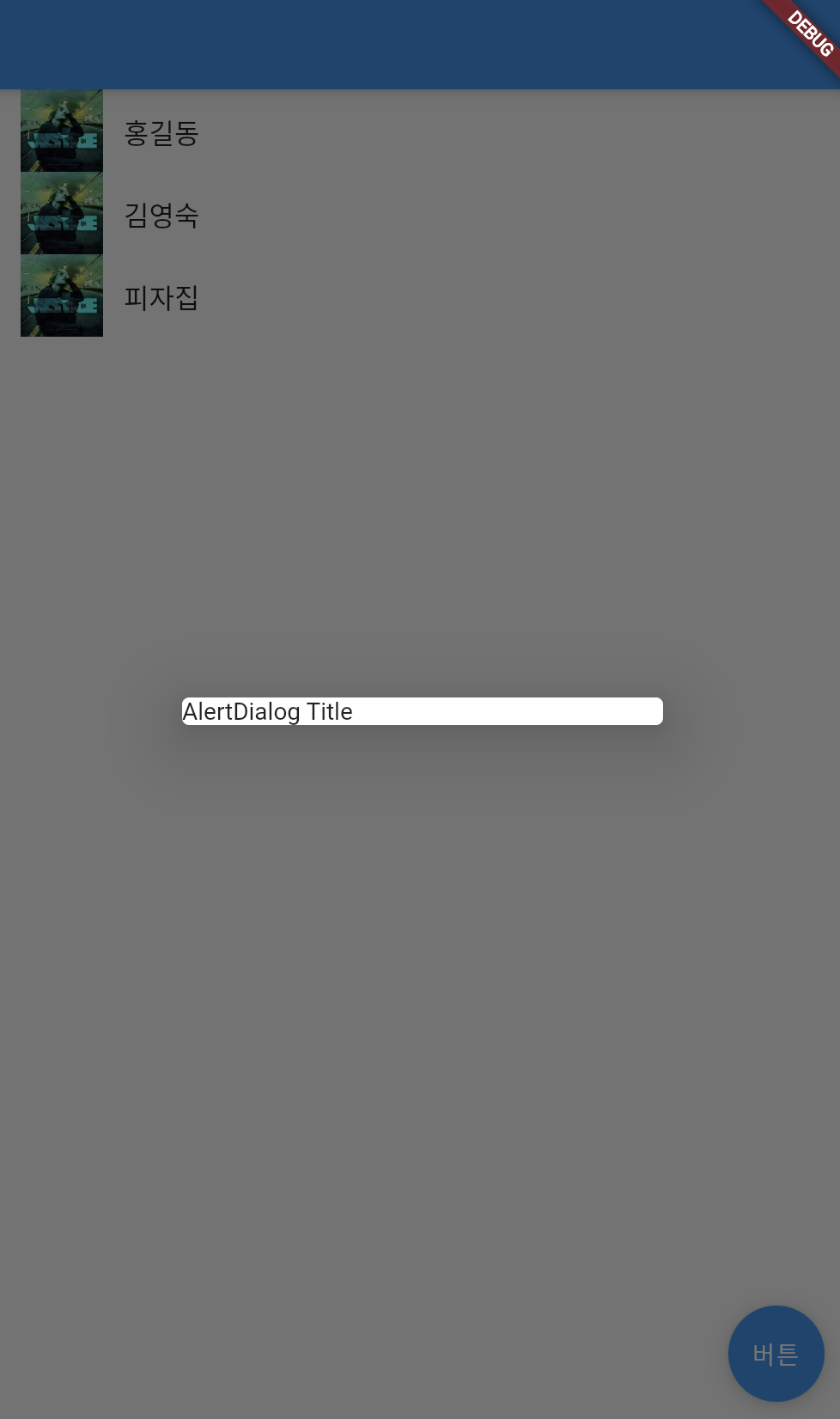
Dialog 창이 뜨는 모습
숙제)
Dialog창에 글자 입력, 취소, 완료 버튼만들기
class DialogUI extends StatelessWidget {
  DialogUI({Key? key}) : super(key: key);

  @override
  Widget build(BuildContext context) {
    return Dialog(
      child: Container(
        width: 300,
        height: 300,
        child: Column(
          children: [
            TextField(),
            TextButton( child: Text('완료'), onPressed:(){} ),
            TextButton(
              child: Text('취소'),
              onPressed:(){ Navigator.pop(context); }) # dialog 창을 닫아줌
          ],
        ),
      ),
    );
  }
}
따로 커스텀 위젯으로 만들었다.
이렇게 만들고 이 위젯을 showDialog 안에서 호출해주면 된다.

'Flutter' 카테고리의 다른 글
| Flutter - 자식이 위젯에서 부모 위젯의 state 바꾸기, input 받기 (0) | 2023.01.07 |
|---|---|
| Flutter - 자식이 위젯에서 부모 위젯의 state 사용하기 (0) | 2023.01.07 |
| Flutter - StatefulWidget 만들기 (0) | 2023.01.06 |
| Flutter - ListView.builder (0) | 2022.12.15 |
| Flutter - 커스텀 위젯 (0) | 2022.12.15 |


